

     |
 |
Virus Infection Removal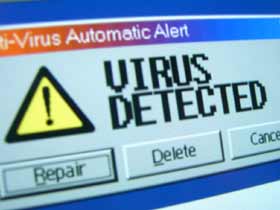
Your Virus CheckerMost computers sold these days come bundled with a pre-installed virus checker. However, they are only as good as the last update. New viruses are written daily. It's really important yours is up-to-date. How I remove infectionsThe general process is this:
Can't I just buy some anti-virus software and install it myself?There is nothing to stop you from doing this, however, it's really hard to remove a virus once it's started. You need to stop the virus from starting BEFORE installing your anti virus software. What Do Viruses Do ?Can't I just leave this virus on my computer, it's not doing any harm? Sure you can leave it alone. The main thing that 'defines' a virus is the ability to replicate. A lot of viruses attach themselves to any email you send. That can be very embarrasing having to contact everyone you've sent an email to recently. Viruses can do anything from displaying a harmless message, to infecting a few crucial files, to, the worse case, erasing all your files. or demanding a ransom to get your files back Viruses cannot physically damage your hardware Rogues GalleryIn 2008 I started a whole page of suspect warning messages. 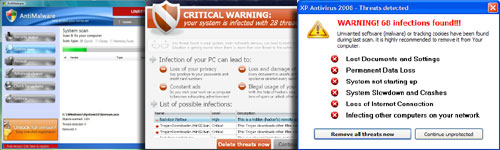
Malware / Spyware / Trojans / Worms / Rogueware / Rootkits / Bootkits
Why all the different terms ?I've stopped using all the different terms myself, instead I prefer to call everyting an 'infection'. Spyware is not a computer virus. Spyware can get embedded into your computer by various ways (see below). Spyware ranges from the relatively harmless type, that show adverts (adware), to the very bad type that can log every keypress you type, to scanning all your files and sending confidential information over the internet. Most virus checkers DO NOT detect spyware, let alone try to remove it. How did I get this infection on my computer?The Drive by...An innocent looking popup appears on the screen saying "your PC could be infected - Click here for virus removal" Unknown to you, this re-directs you to a website, that then infects your computer with spyware The Enticing Sweetener...You visit a website and see "download our toolbar to get the weather/time in 38 countries" A toolbar installs itself in internet explorer. It's really spyware - tracking your every move. The Cool ToolYour teenager son/daughter often chat online using msn/aol/et al Their friends suggest downloading the latest 'smiley cursors' Unknown to them, what appears quite harmless, is actually another way for spyware to get installed. The Free MusicYou install the latest file sharing program (peer to peer / p2p) You then open your PC up to the file sharing world. Which is bad enough, but how do you know the things you are downloading do not carry spyware with them? The Funny / Joke emailA friend often sends you funny emails, sometimes with attachments A lot of these funny emails are not very funny when they infect your computer with a virus The Must See VideoYou visit a site to see a video, the site informs you to click here to update your video player / codec / plugin By doing that there is a high chances of getting infected by the so called new video player / codec / plugin First signs of spyware
What Can an Infection Do ?
Can't I just leave this infection on my PC, it's not doing any harm? Sure you can leave it alone, but I guarantee that it will just get worse, until your PC is unusable The more harmless infection just pops up adverts. The worse infections actually record every key press you make and send those details back to seedier sides of the internet. If you suspect you have an infection, then I'd avoid logging into anything that you'd like to keep private (online banking, using a credit card, email) Can I not just remove the virus infection myself ?It used to be relatively easy to remove virus infections. These days it's getting harder and harder. The spyware / adware / malware is getting more and more sophisticated with how it buries itself deep within your computers files. You can try to remove an infection yourself, but you're better off calling me in. Did you know?Did you know that once your computer is connected to the internet, it's open to attack from unscrupulous people around the world. Once you're on broadband the problem is made even worse as your PC is 'always on' the internet, which gives the attackers longer to attack your PC. An unprotected PC can be infected within 3 minutes of being connected to the net. If you use peer-to-peer file sharing (like Kazaa, LimeWire, Morpheus, Torrents, eMule, et al) then you are even more at risk. Add a few teenagers in the mix and chances are your PC is already infected with spyware. After awhile your PC will become unusable. That leaves you with a choice of either erasing everything and re-installing all your software and data, buying a new PC, or calling me. Some spyware can record what keys you press and sends them back to the spyware writersFacebook VirusSpecial notice - for facebook users - Be on the lookout. The sooner you call me the quicker I can remove any infectionsContinue to 'No Internet'... |



| Home
| Services
| Rates
| Contact
| PC Tips
| Site Map
|

|
|
|